This article contains a full list of all the reports available for both single and multi-payrolls. We have added several new reports recently. For more information on the newest reports and other updates, visit our release notes.
Depending on your role in Cintra People, you may not be able to access all the reports listed below. Several other reports are also available from the widgets in the Payroll summary dashboard.
To access these reports, either open a payroll and click the Reports tab OR go to the Reports menu, select a report category, then click a report's open icon - 
Reports are split into the following categories.
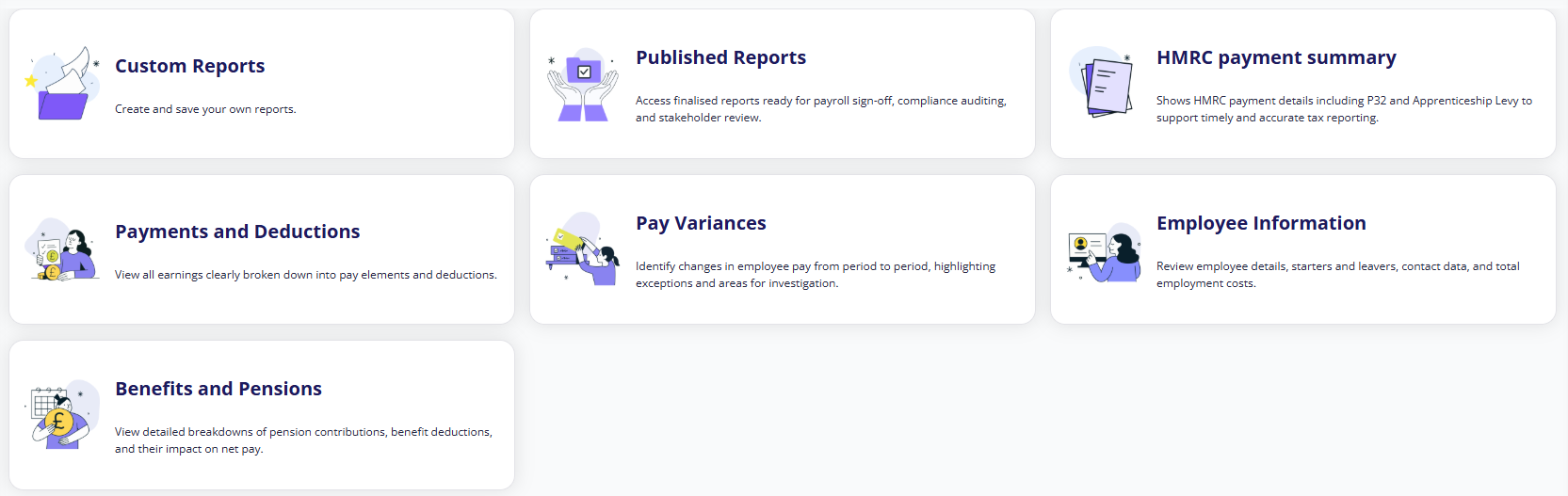
Custom reports
If you change and save any payroll report, it will be available for selection within custom reports. See Introduction to the customisation screen.
Published reports
Finalised reports of your payroll data are known as published reports. See Published payroll reports.
HMRC payment summary / PAYE Scheme
The reports in this section let you inform HMRC about your tax obligations.
To view any of these reports, you must select a PAYE scheme, then a tax year.
| Report name | Description | More information |
|---|---|---|
 Apprenticeship Levy Apprenticeship Levy | Apprenticeship levy calculations per employer. Details levy amounts, allowances, and payment obligations. Use for levy compliance and HMRC submission preparation. | Displays total monthly and cumulative values for paybill, amount due, levy, and allowance, grouped by PAYE scheme. More information about the apprenticeship levy/allowance is shown in the Overview tab. |
 P32 - Employer Payment Summary P32 - Employer Payment Summary | Total HMRC payments due per PAYE scheme including PAYE tax, NI contributions, student loans, and apprenticeship levy. Use for monthly HMRC payment reconciliation and compliance reporting. | Displays totals for each type of payments (including income tax, gross NI contributions, and student loans) and deductions (including parental leave and employment allowance). |
 P32 - Parent Payments (Compensation) P32 - Parent Payments (Compensation) | Statutory parental payment recoveries claimable from HMRC per PAYE scheme. Use to calculate compensation amounts for maternity, paternity, adoption, bereavement, and neonatal care pay. | Displays totals for each type of parental payment claimable from HMRC (SMP NI, SPP NI etc.), grouped by PAYE scheme. |
 P32 - Parent Payments (Reclaimed) P32 - Parent Payments (Reclaimed) | Statutory parental payment amounts reclaimed from HMRC deductions per PAYE scheme. Use to track recoveries offset against PAYE tax and NI liabilities. | Displays totals for each type of reclaimed parental payment (SMP, SPP etc.), grouped by PAYE scheme. |
Payments and Deductions
These reports break down earnings into pay elements (e.g. overtime or bonus) and deductions (e.g. taxes or pensions)
| Report name | Description | More information |
|---|---|---|
| Employee Net Payments | Final take-home pay amounts per employee. Use to verify payment amounts before bank transfer. | See Altered Pay and Employee Net Payments reports. |
| Multiple Period Report - Gross to Net (Summary) | Gross to net across multiple periods per payroll / payment heading / employee. Use for trend analysis and period comparisons. | This report is generated using pivot mode. Grouped by payroll name, pay heading type, and pay heading name. |
| HMRC Payment (Summary) | Total amount due to HMRC per employee. Use this figure for your monthly PAYE payment to HMRC. | Grouped by payroll period tax year. |
| Total Costs by Employee | Full employment costs per employee including NI and pension. Use for budgeting and cost analysis. | None |
| Other Liabilities (Summary) | Summary of other liability deductions. Use for third-party payment reconciliation. | Data is displayed in three sections, payroll details, employment details, and deductions. |
| Gross Pay Summary | All gross pay components per employee. Use to verify hourly rates, overtime and bonus calculations. | Report is sorted into three sections: employment details, payroll details and payments. |
| Attachment of Earnings (AOE) | Court-ordered deductions per employee. Ensure these are processed correctly for legal compliance. | Can only be viewed for a single payroll and one of its pay periods. |
 One-off Payments and Deductions One-off Payments and Deductions | Dtailed breakdown of employees' ad-hoc payments on a per-period basis. Use it to track variable payments like overtime, expenses, bonuses, or hourly-paid basic hours that change from one pay period to another—helping you understand fluctuations in payroll costs and verify one-time payments before submission. | None |
| Salary and Allowances | Breakdown of employees' salary and recurring allowances on a per-period basis. Tracks fixed payments like base salary, phone allowance, London weighting, first aid allowances, car allowances and more. Verify standing payments and identify any unexpected changes. | None |
| Loans | Employee loans and repayments per employee. Monitor outstanding balances. | Can only be viewed for a single payroll and one of its pay periods. |
| Pay Elements | All pay components like basic pay, overtime and bonuses. Helps you verify pay calculations. | This report is generated using pivot mode. Payroll data is sorted into the four main categories (additions, deductions, employer overheads and net pay). |
| Pay Elements (Grouped by Heading Category) | Pay elements organised by category. Easier to review similar pay types together. | Grouped by pay heading class and name. |
| Gross pay (Detailed) | Detailed breakdown of all gross pay calculations. Use to investigate pay queries or disputes. | None |
| Multiple Period Report - Gross to Net (Detailed) | Detailed multi-period pay comparison per payroll / payment heading / employee. Use for investigating pay trends or historical analysis. | This report is generated using pivot mode. Grouped by payroll period tax year and payroll. |
| Deductions (Detailed) | All employee deductions in detail per employee. Use to investigate deduction queries or disputes. | Filtered by pay heading type = Deductions |
| Multiple Period Report - Gross to Net (Summary) | Compares gross to net across multiple periods per payroll / payment heading / employee. Use for trend analysis and period comparisons. | See Multiple Period Report - Gross to Net (Summary) |
| Other Liabilities (Detailed) | Detailed breakdown of miscellaneous deductions per employee. Use to verify third-party payments. | None |
| Deductions (Summary) | Overview of deduction and totals per employee. Use for quick deduction analysis and verification. | None |
| Gross to Net | How gross pay becomes net pay after deductions. Use to verify payroll calculations are correct. | This report is generated using pivot mode. Sorted into the four main categories (additions, deductions, employer overheads and net pay). |
| Statutory Parental Payments | Statutory parental payments (SMP, SPP, SAP, SNP, and ShPP) processed through your payroll, including payment amounts, types, and periods. Use this report to reconcile statutory payments at month-end and reconcile payments. | Grouped by heading class. |
 Salary Sacrifice Pension contributions Salary Sacrifice Pension contributions | Employee and employer pension contributions with salary sacrifice and NI savings breakdown. Use to verify pension deductions and employer cost savings. | Grouped by pension scheme. Shows total contributions (employer and employee). |
 Occupational Sick Pay Occupational Sick Pay | Track OSP entitlements per employee, and predict when employees will move to reduced payments. | None |
Pay Variances
These reports help you identify any major changes in employee pay between periods.
| Report name | Description | More information |
|---|---|---|
| Altered Pay (70% Variance) | Employees with 70%+ pay changes. Check these before payroll to avoid payment errors. | See Altered Pay and Employee Net Payments reports. |
| Altered Pay (Greater than £1,000) | Employees with £1,000+ pay changes. Review these large variations before processing. | See Altered Pay and Employee Net Payments Reports. |
| Additions and Deductions Variance | Highlights unusual changes in pay. Helps you spot errors or investigate significant pay differences. | Grouped by pay category, type, and name. Shows value of previous and selected pay and absolute movement. |
| Pay Variance | Period-by-period pay variance report for monitoring payment changes, identifying payroll errors, and investigating unexpected variations in employee pay and deductions. | See Pay Variance Report. |
Employee information
These reports contain general details about the employee and the costs of employing them.
| Report name | Description | More information |
|---|---|---|
| Employee Contact Details | Contact information for all employees. Use for emergency contact purposes or general queries. | None |
| Employment Details | Contact information for all employees. Use for emergency contact purposes or general queries. | None |
| Employee Bank Details | Bank account details for payments. Review before payroll runs to ensure payment accuracy. | None |
| Starters and Leavers | New starters and leavers this period. Check before finalising payroll to ensure accuracy. | A starter/leaver filter is applied to this report. |
| Tax Code and NI Category | Tax codes and NI categories for each employee. Review if PAYE calculations look incorrect. | None |
Benefits and pensions
These reports let you investigate the impact of deductions and benefits on employee pay.
| Report name | Description | More information |
|---|---|---|
| Pension and Benefits | All pension and benefit contributions by employee. Review before processing pension payments. | Grouped by scheme part, pension part, and overhead name. |
| Other Benefit Scheme Liabilities (Detailed) | Detailed breakdown of benefit scheme costs per employee. Use for individual benefit queries. | None |
| Pension Scheme Liabilities (Detailed) | Detailed pension obligations per employee. Use for pension scheme administration and queries. | None |
| Other Benefit Scheme Liabilities (Summary) | Summary of non-pension benefit costs per employee. Review for benefit scheme reporting. | Sorted into the four main categories (additions, deductions, employer overheads and net pay). |
| Pension Scheme Liabilities (Summary) | Overview of pension obligations per employee. Use for monthly pension scheme reconciliation. | Grouped into payroll details, employee details, and pension type. |
 Payrolled Benefits (Summary) Payrolled Benefits (Summary) | The total payrolled benefits is shown for each employee per period. Use to verify benefit calculations and support year-end reconciliations. | None |
 Payrolled Benefits (Detailed) Payrolled Benefits (Detailed) | Each row displays detailed information that a benefit received by an employee. Used for detailed benefit breakdowns. | None |
Was this article helpful?
That’s Great!
Thank you for your feedback
Sorry! We couldn't be helpful
Thank you for your feedback
Feedback sent
We appreciate your effort and will try to fix the article