The Payroll Summary Dashboard provides an easy-to-read overview of all the key data relating to a specific payroll.
TABLE OF CONTENTS
Accessing the dashboard
Single payroll
To view the dashboard for a single payroll:
- Within the Payroll tab of Cintra People, select any payroll.
- Select a pay period.
- Click Payroll Summary.

Multiple payrolls
To view the dashboard for multiple payrolls:
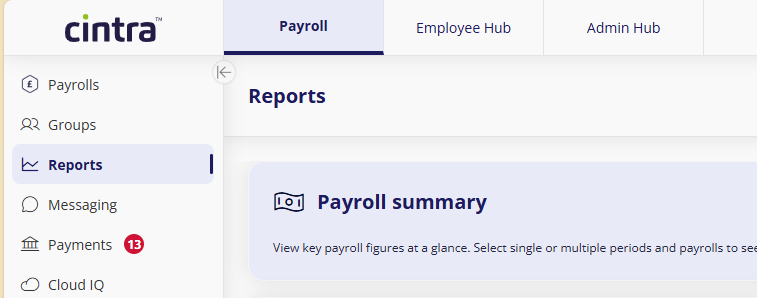
- In the side menu, click Reports.
- Click Payroll summary.
Filtering the dashboard

- The dashboard displays data from the payroll you opened it from, and the current pay period. However, you can change this by selecting different payrolls or start / end paydates.
- Hover over
 to view which period(s) the start/end dates relate to.
 - You can also filter the list by:
- Paypoint: Your organisation may use paypoints to group and filters employees, for example by location or department.
- Employee (name)
Understanding the dashboard
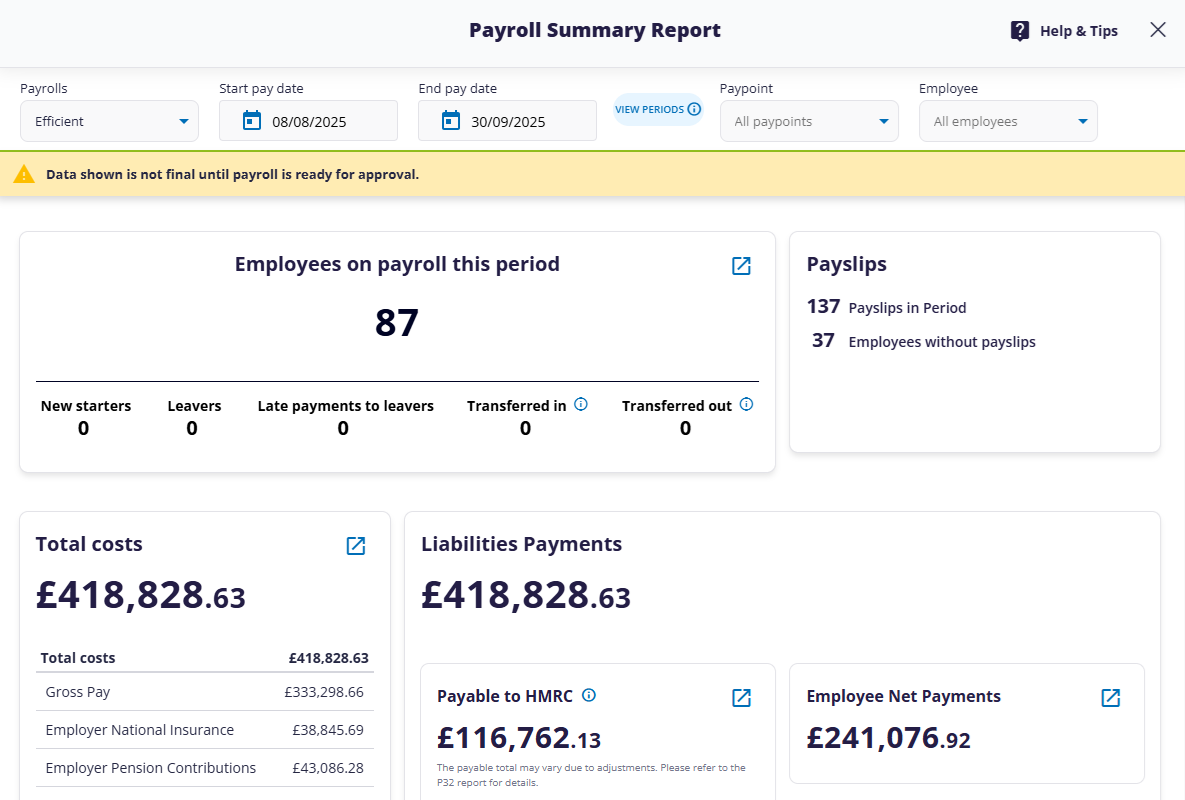
The dashboards contains a series of widgets on all the key areas of your payroll.
(click to expand)
Click the icon within any widget to open its related report. These reports can be customised the same way as standard reports.
A full list of widgets and their associated reports is shown in the table below:
| Name of widget | Related report(s) |
|---|---|
| Employees on payroll this period | Employment Details |
| Payslips | None |
| Total Costs | Total Costs by Employee |
| Liabilities Payments - Payable to HMRC | HMRC Payment |
| Liabilities Payments - Employee Net Payments | Employee Net Payments |
| Liabilities Payments - Total Pension Scheme Liabilities | Pension Scheme Liabilities - Summary |
| Liabilities Payments - Other Benefit Scheme Liabilities | Other Benefit Scheme Liabilities (Summary) |
| Liabilities Payments - Other Liabilities | Other Liabilities (Summary) |
| Gross Pay | Gross Pay Elements |
Exporting the dashboard
To export the current dashboard to PDF (including any filters or settings you have applied), click the Export button at the top-right of the screen. The PDF will be saved to your downloads folder.
See also
Overview of available Payroll Reports
Was this article helpful?
That’s Great!
Thank you for your feedback
Sorry! We couldn't be helpful
Thank you for your feedback
Feedback sent
We appreciate your effort and will try to fix the article