When editing an employee, you can assign the following benefits:
- Payrolled benefits (coming soon)
- Company cars (coming soon)
- Salary sacrifice schemes
- Other benefits
Salary sacrifice schemes
A salary sacrifice scheme is an arrangement where an employee agrees to give up part of their gross salary in exchange for a non-cash benefit, such as a bike, tech equipment, or enhanced pension contributions. As the deduction is taken before tax and National Insurance are calculated, both the employee and employer can save money.
Viewing salary sacrifice benefits

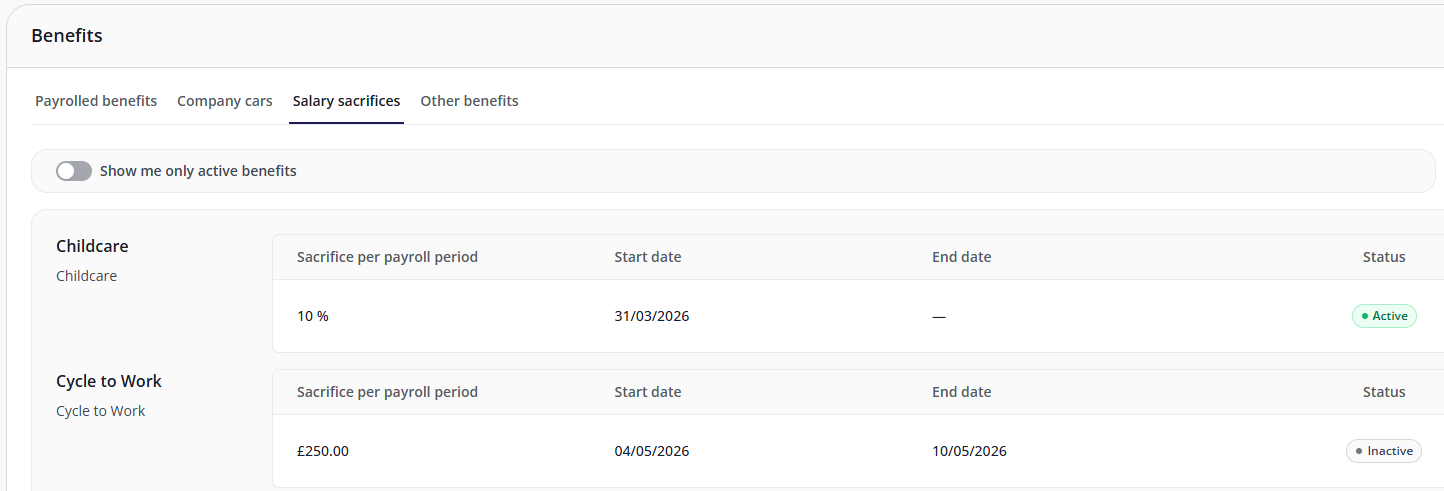
When editing an employee, the Salary sacrifices tab of the Benefits tab displays all salary sacrifice benefits currently assigned to the user. Use the toggle to show only active benefits and hide inactive benefits (which either have not yet started or have already ended).
Adding a new salary sacrifice benefit
- Within the Salary sacrifices tab, click Assign benefit.
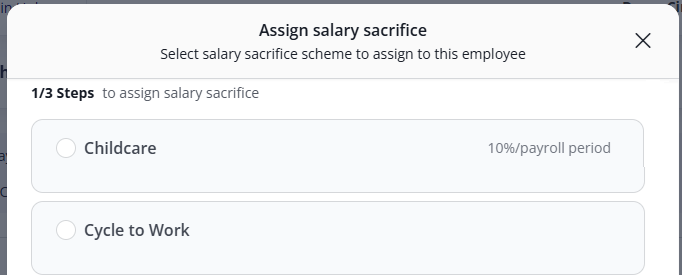
- A list of available benefits will be displayed, including any summary information about the scheme. Select a scheme, then click Continue.
- On the next page, you must enter a start date for the scheme. The end date is optional.
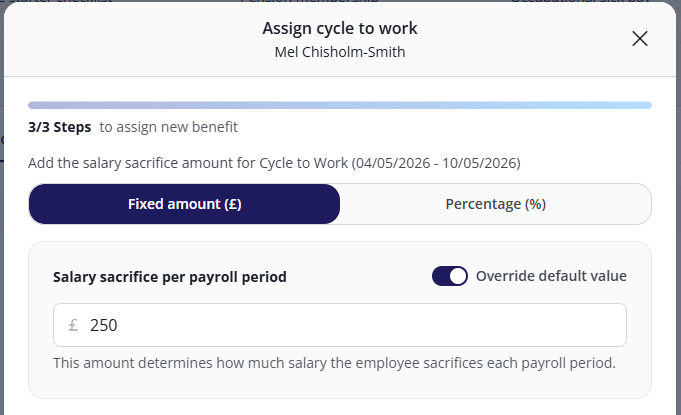
- When you click Continue, you must set how much gross salary the employee is sacrificing for this scheme.
- This can be either as a fixed amount of their salary or a percentage of it. It cannot be both.
- Some schemes will already have a value entered, which you can change by clicking the Override default value toggle.
Managing existing salary sacrifice schemes
In the Salary sacrifices tab, you can perform the following actions on any benefit by clicking its ⋮ icon:
- Edit benefit: You can change the date(s) and amount of the scheme. This can affect current payroll and previous payroll periods.
- Renew benefit: While this also lets you edit the scheme's dates / amount, this option will end the previous scheme and create a new one, ensuring a clean transition between reporting periods.
- End benefit: You must enter the date the benefit will end.
- Delete benefit: Remember that deleted benefits CANNOT be restored.
Only active schemes can be renewed or ended.
FAQs
Can I set a different sacrifice amount for individual employees?
- Yes. Each scheme has a default sacrifice amount configured at the company level, but this can be overridden on a per-employee basis during assignment.
Do I need to set up salary sacrifice schemes before I can assign them to employees?
- Yes. Schemes must be configured at the company level before they can be assigned to individual employees. If you don't see the scheme you need in the assignment modal, check your company-level benefits configuration or contact your system administrator.
What happens when a salary sacrifice scheme reaches its end date?
- Once the end date passes, the scheme will no longer be applied in payroll processing. If you need to extend the scheme, you can use the Renew benefit option from the actions menu (⋮) on the employee's Salary sacrifices tab before or after the end date is reached.
Was this article helpful?
That’s Great!
Thank you for your feedback
Sorry! We couldn't be helpful
Thank you for your feedback
Feedback sent
We appreciate your effort and will try to fix the article