If you're new to Cintra People, these Getting Started articles will explain precisely what Cintra People is, its key benefits to you and your organisation, and how you can access and start using it.
TABLE OF CONTENTS
- What is Cintra People?
- HR and Payroll modules
- What do I need to access it?
- Where do I get more information?
What is Cintra People?
Cintra People is a cloud-based HR and payroll system that helps organisations like yours manage their employees and their pay.
- If you're a HR or payroll professional, Cintra People provides a wealth of tools and information to help you manage your workforce.
- If you're a standard employee, Cintra People lets you manage your employment-related tasks such as booking leave or checking your pay.
HR and Payroll modules
Currently, Cintra People comprises two key modules - Payroll and HR. Your organisation may only use one of these modules, but if they use both, the same data is used across both modules, ensuring a unified view of your organisation's personnel and pay, and no requirement to enter information twice.
Cintra People Payroll
If you are a payroll professional, Cintra People Payrolls delivers all the tools you need to manage a modern payroll, including:
- Real-time payroll: Live and interactive dashboards provide a live summary of payroll data and let you perform key payroll tasks including calculations and payments.
- New starter management: Step-by-step guide for recording key information about new employees, ensuring no important information is missed that may prevent them from being paid.
- Bureau: Manage multiple clients’ payrolls in one place with access controls, payment‑status management, and workflow locking to keep each client’s payroll cycle structured and auditable.
- Cintra Groups: Lets you split your payroll into logical teams to improve visibility of updates, variances, and costs, while streamlining the payroll cycle for managers.
- Live reporting: Real-time, pre-built payroll reports give instant visibility of payroll status, variances, and compliance checks, with the ability to generate, configure, and share them on demand.
- Messaging: Cintra People's built-in secure messaging tool and notifications keeps everyone in charge of managing payroll to stay informed about approvals, actions, and any problems.
If you're an employee, the Employee Hub of Cintra People lets you:
- View your employee documentation: Including your payslip and other important documents.
- Manage your details: Change your personal and contact information, including your bank account details.
- Book time off: Request holidays and view your calendar.
For more information, see Employee Hub: Getting started and FAQs.
Cintra People HR
If you are an HR professional, Cintra People HR provides all the functionality you would expect in a modern HR system, including absence management, onboarding, and reporting. All its features are delivered with an intuitive interface through your usual web browser.
- Employee records management: Centralised employee profiles with personal details, documents, and HR information.
- Leave and sickness tracking: Tools for submitting, approving, and recording holiday, sickness, and other absence types.
- Time and attendance tracking: Logging and monitoring attendance, working from home, and other time‑related data.
- Document management: Storage and management of staff records and company documents in a secure online system.
- Performance management: Modules for goals, reviews, and ongoing performance tracking.
- Onboarding tools: New‑hire portals and workflows for collecting information and completing setup tasks.
- Reporting and analytics: Dashboards, filters, and exports to monitor HR and leave data.
- Integrations: Connectivity with systems such as Google Workspace, Microsoft 365, Xero, Slack, DocuSign, and more.
If you are an employee, Cintra People HR lets you manage your key tasks and information from anywhere. These include:
- Request time off (holiday, sickness, working from home, unpaid leave, and more) and check your remaining balances.
- Access company documents that HR or management have shared with you.
- Use self‑service tools to update your bank details or personal information.
- Complete onboarding tasks through the new‑hire portal when joining the organisation.
- Participate in performance processes, such as reviews, goal setting, and feedback cycles.
For more information, see the articles in this Getting Started folder.
What do I need to access it?
You can access Cintra People from anywhere with a web browser and an internet connection. Cintra People has been optimised to work on mobile devices, although some features such as reports and dashboards are designed to work with larger screens.
If you've received your welcome email, you can log in to Cintra People through https://cintra.cloud. For more information, see Accessing and logging in to Cintra People.
Where do I get more information?
Help site
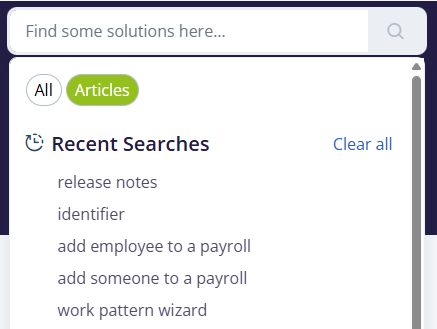
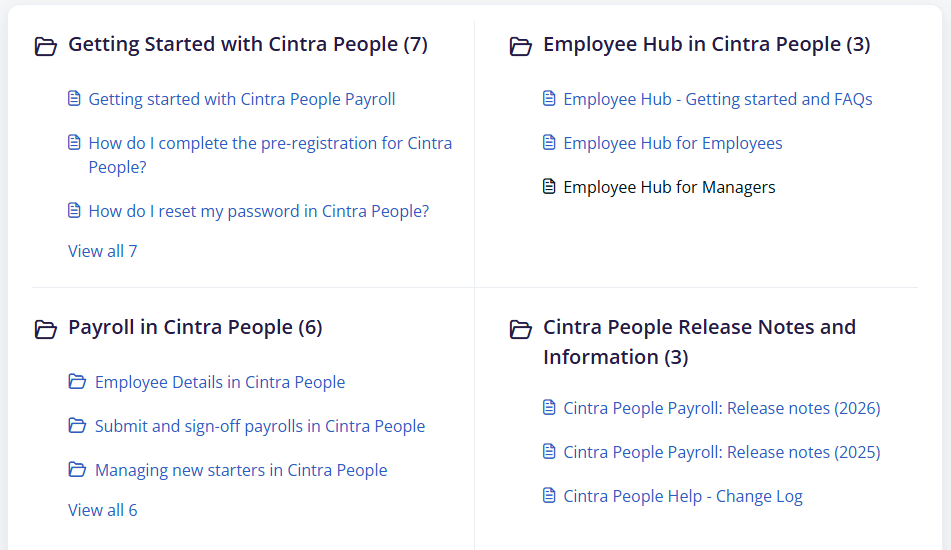
This help contains a wealth of information about Cintra People Payroll.

You can either use the search feature or browse the articles within folders.
 |  |
Product updates
Cintra People is constantly evolving. To keep up to date with the latest changes:
- Visit the Release Notes.
- In-product notifications: The notification bell will indicate whenever a new feature or update is released that is accessible by your user type and organisation. Click the bell at any time to read about the latest updates.

Support
Submit a ticket - Cintra Support
Was this article helpful?
That’s Great!
Thank you for your feedback
Sorry! We couldn't be helpful
Thank you for your feedback
Feedback sent
We appreciate your effort and will try to fix the article